Soaring Society of America (SSA) Contest Configuration
PureTrack supports automatically loading SSA contests, aircraft, pilots and tasks from the SSA website. Here's how to configure it to work with PureTrack.
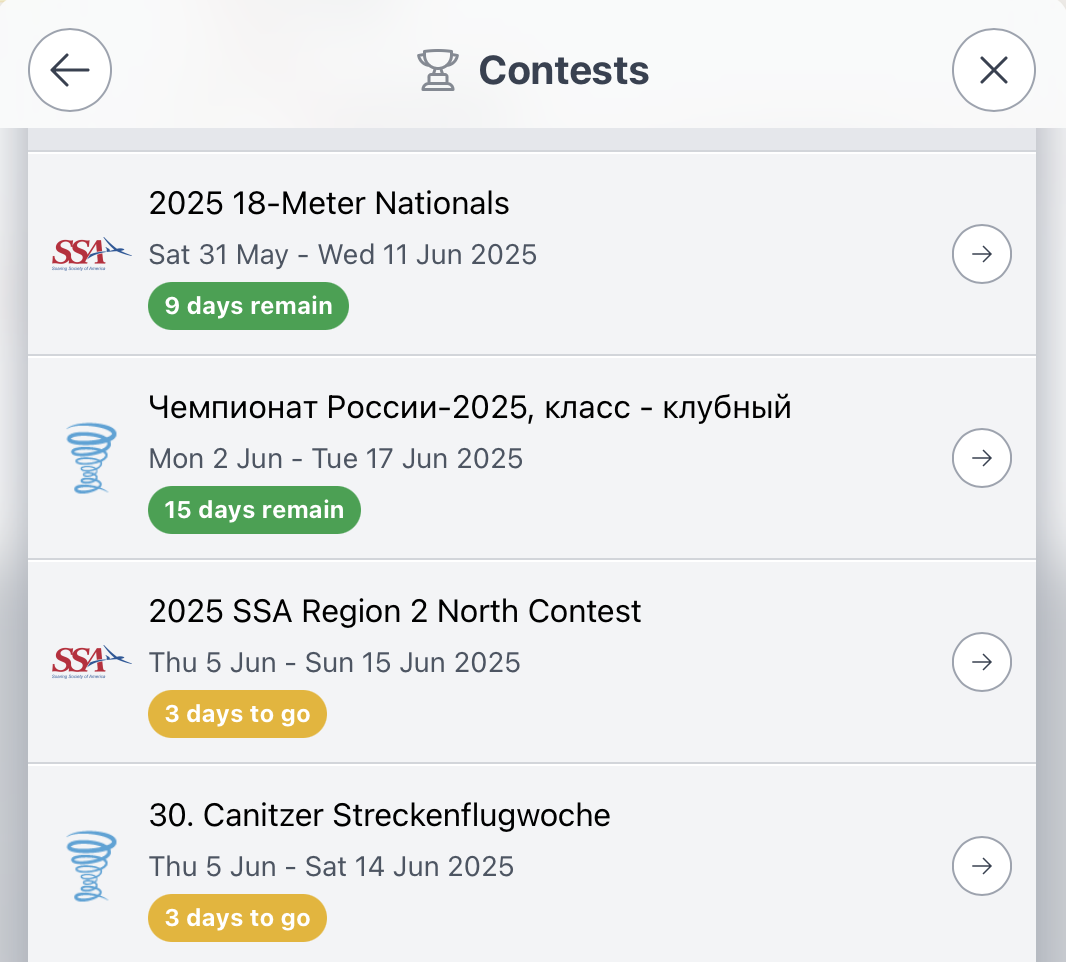
To view/load a contest use: Menu -> Contests from the PureTrack map, which will open the load contests panel:
For pilots
-
Ensure your aircraft is showing up on PureTrack. If not, configure your trackers from your dashboard.
-
SPOT or InReach devices can be configured either with Soaring SatTracker (by Davis Chappins) or in PureTrack directly. Both methods will show in PureTrack. data from SatTrack will show as from OGN.
-
Make sure your contest ID is configured in the OGN database and on PureTrack, and matches what is on the SSA website. If your aircraft is not showing up as a glider or with the correct contest ID, it can be edited in the PureTrack aircraft database.
-
See this handy guide how to configure your glider for live tracking
For contest organisers
There are only a couple of critical things to do, so the daily tasks and pilots are loaded automatically off the SSA website.
-
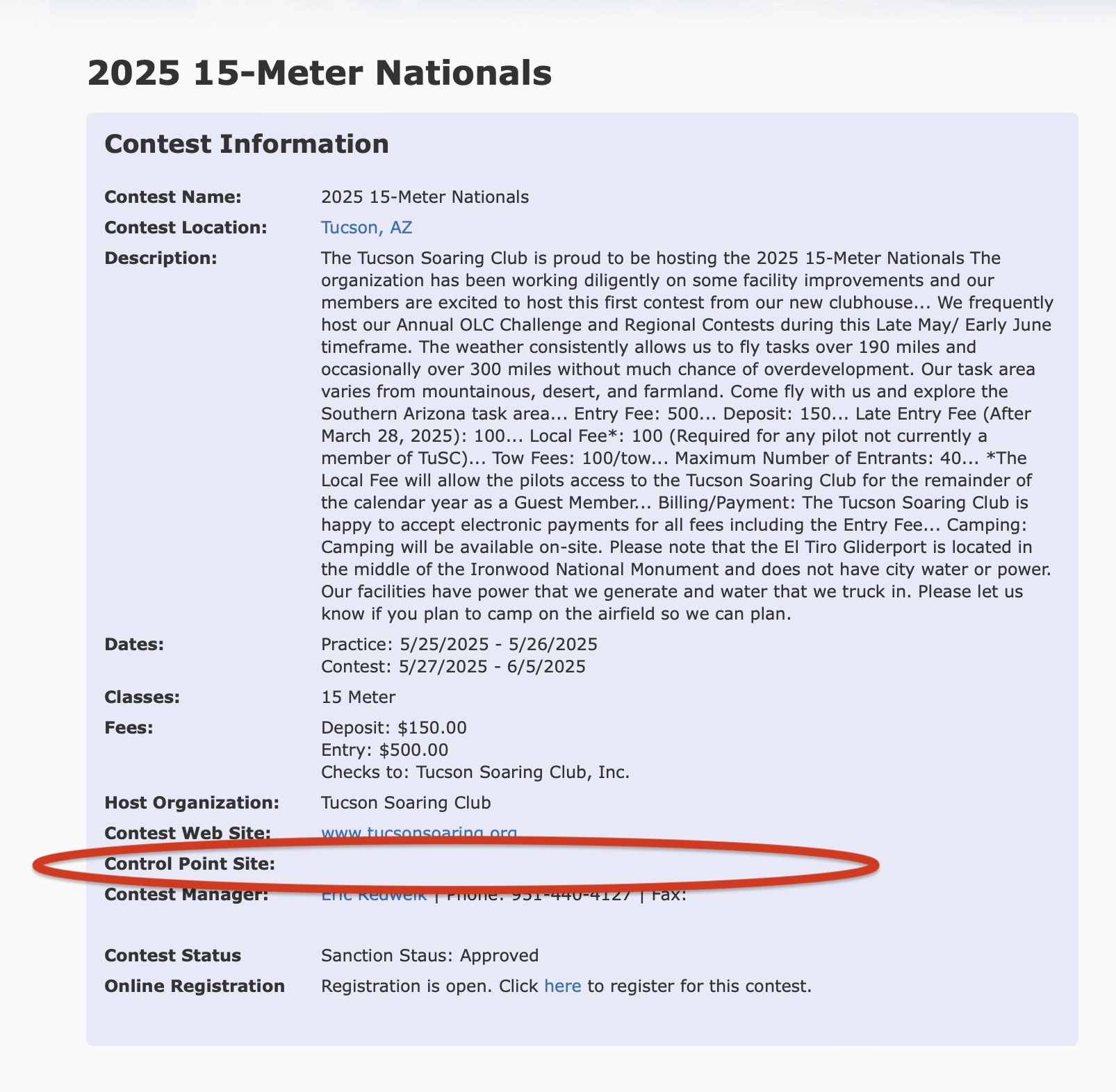
Add the "Control Point Site" field. This allows PureTrack to fetch the waypoints for the contest. Check it's visible on the "information" section of the website.
-
The contest ID on the SSA website needs to match what is in the PureTrack aircraft database. This data is obtained from the OGN database originally, but may get out of date as FLARMs are moved between gliders, or registrations change. The list of competitors PureTrack has imported is available from the contest panel.
-
A contest link is available via the contest panel, that makes it super easy to share live tracking on social media or from your website. e.g. puretrack.io/c/my-big-contest.
Note if a contest doesn't have the waypoints listed, contact us, we can add them manually.