
PureTrack can be embedded into other websites using a simple iFrame. iFrames can be problematic for users, so in most cases it's recommended to simply link to PureTrack instead.
Both linking and embedding can pass settings to PureTrack, to configure the initital state of the app.
https://puretrack.io/
Location, zoom level and selected map marker are set in the URL automatically as the user pans around the map. e.g.
https://puretrack.io/?l=-37.73087,175.74903&z=14.2
Tip: Browse PureTrack to set your location, then copy from the URL bar to get this link.
Links for any map marker in PureTrack can be found by selecting it, and choosing 'Copy link' from the 'share' menu.
Visiting the link PureTrack will load the last known position of the map marker, up to 8 weeks old, and center the map on that location.
Aircraft registrations can be linked to with the 'a' GET parameter e.g. for the aircraft ZK-TOW:
https://puretrack.io/?a=ZK-TOW
Any configured PureTrack map marker can be linked to with a hashtag e.g. the boat Whitianga Ferry:
https://puretrack.io/#whitianga-ferry1567
Any device on PureTrack can be linked to with it's unique device ID. The following format is used:
https://puretrack.io/?k=XX-123456
Where XX is the source ID number, and 123456 is the device ID number. A list of sources is available at puretrack.io/help/api
If a device is found, it will either link directly to that item or select the map marker or aircraft that device was last used with.
Note all ADSB sources are combined into a single generic source of 46, not the individual sources listed.
Some examples:
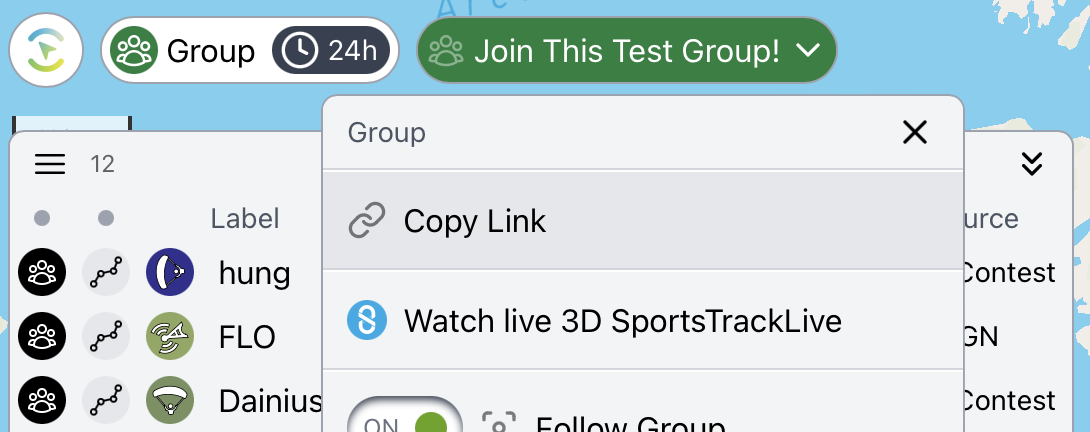
Find the link to a group from the group menu e.g.
https://puretrack.io/g/join-this-test-group
Copy this link from the Group menu:
Use an iFrame, and pass settings into the URL.
<iframe src="https://puretrack.io/?l=-37.73087,175.74903&z=14.2&settings=showWelcomeScreen:false" title="PureTrack" width="100%" height="300"></iframe>
Example:
There are limitations including:
Settings can be appended to any PureTrack URL with the 'settings' GET parameter the following format.
If settings aren't set, PureTrack will use the user's current settings on that device. PureTrack settings are stored in the browser's local storage NOT a user's account.
https://puretrack.io?settings=altitudeUnits:meters,speedUnits:kilometersPerHour,showChart:false
| Setting | Values |
|---|---|
| showWelcomeScreen | true / false |
| mode | all / gliding / marine / ga / freeflight |
| altitudeUnits | meters / feet |
| speedUnits | knots / metersPerSecond / milesPerHour / kilometersPerHour / feetPerMinute |
| distanceUnits | kilometers / miles / nauticalMiles |
| timeUnits | 12 / 24 |
| timezoneUnits | user / local / utc |
| iconSize | 0.6 to 1.6 |
| mapLat | e.g. 45.53010 |
| mapLong | e.g. 9.13907 |
| mapZoom | 0-23 e.g. 8.2 |
| mapZoom | 0-23 e.g. 8.2 |
| Note a location or zoom level in the URL with the 'l' and 'z' GET parameters will override the mapLat, mapLong and mapZoom settings. | |
| Setting | Values |
|---|---|
| showMountains | true / false (pro required) |
| showLabels | true / false |
| showAirspace | true / false |
| showAirports | true / false |
| showSmallAirports | true / false |
| showHelipads | true / false |
| showLaunchSites | true / false |
| showThermals | true / false (pro required) |
| showThermalHeights | true / false (pro required) |
| showWeatherStations | true / false |
| showRainRadar | true / false |
| showSkySight | true / false (SkySight required) |
| showSkySightSat | true / false (SkySight required) |