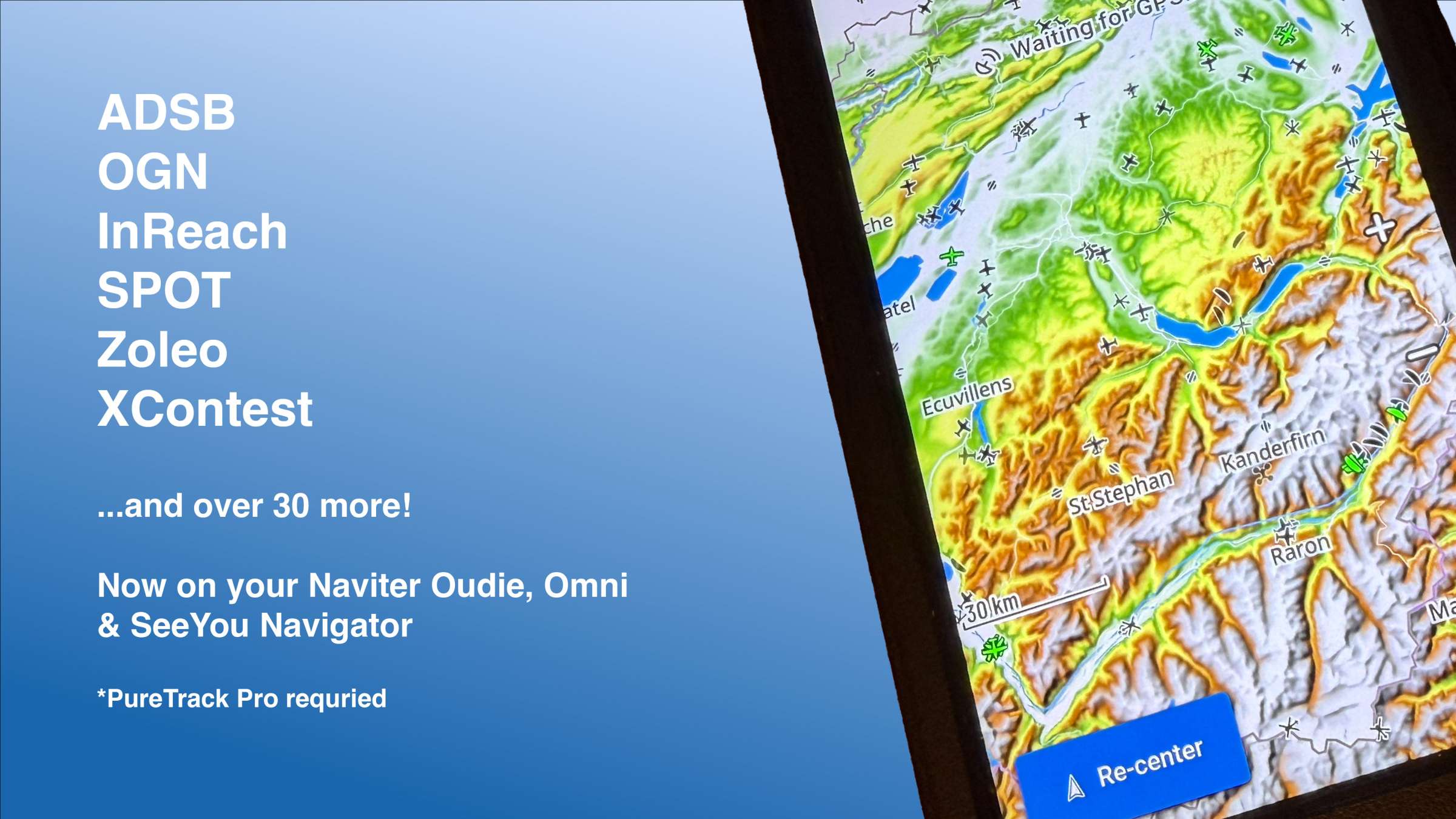
Naviter has announced the next version of SeeYou Navigator, with full PureTrack Support. Now see worldwide ADSB traffic (and a lot more) on your Oudie N, Omni or in the SeeYou Navigator app.
Available to all PureTrack Pro users, traffic data from PureTrack can now be displayed on the Oudie and Navigator.
All PureTrack aircraft types, including commercial planes, GA aircraft, gliders, paragliders and hang gliders.
See data from over 50 PureTrack sources, including ADSB, OGN, cellular trackers and apps, satellite trackers including SPOT, InReach, Zoleo and Protegear.
Note. PureTrack Pro is required to show PureTrack data on your device. Try a free demo. Use the coupon code NAVITER for an extended free trial if you've already used yours.
Send tracking data directly to PureTrack
Now send your location data directly to PureTrack from your Oudie or Navigator app and the flick of a switch. This enables:
Much faster update rates, every 3 seconds, resulting in smoother tracks.
Offline buffering, so your track will be complete even if offline for portions of the flight.
Keep your tracks private, for paraglider pilots and other non-registered aircraft.
Longer retention time in PureTrack, so you can go back and pull up flights from up to 3 months ago (with PureTrack Pro).
Combine with the OGN layer for backup tracking, so if one service fails, the other may continue.
Requirements
Mobile data is required for both In and Out features. This can be from the integrated SIM card in your device, or tethering to your phone.
Transmit location to PureTrack: available to all users.
Show PureTrack data on the Oudie: available to PureTrack Pro subscribers.
How to use
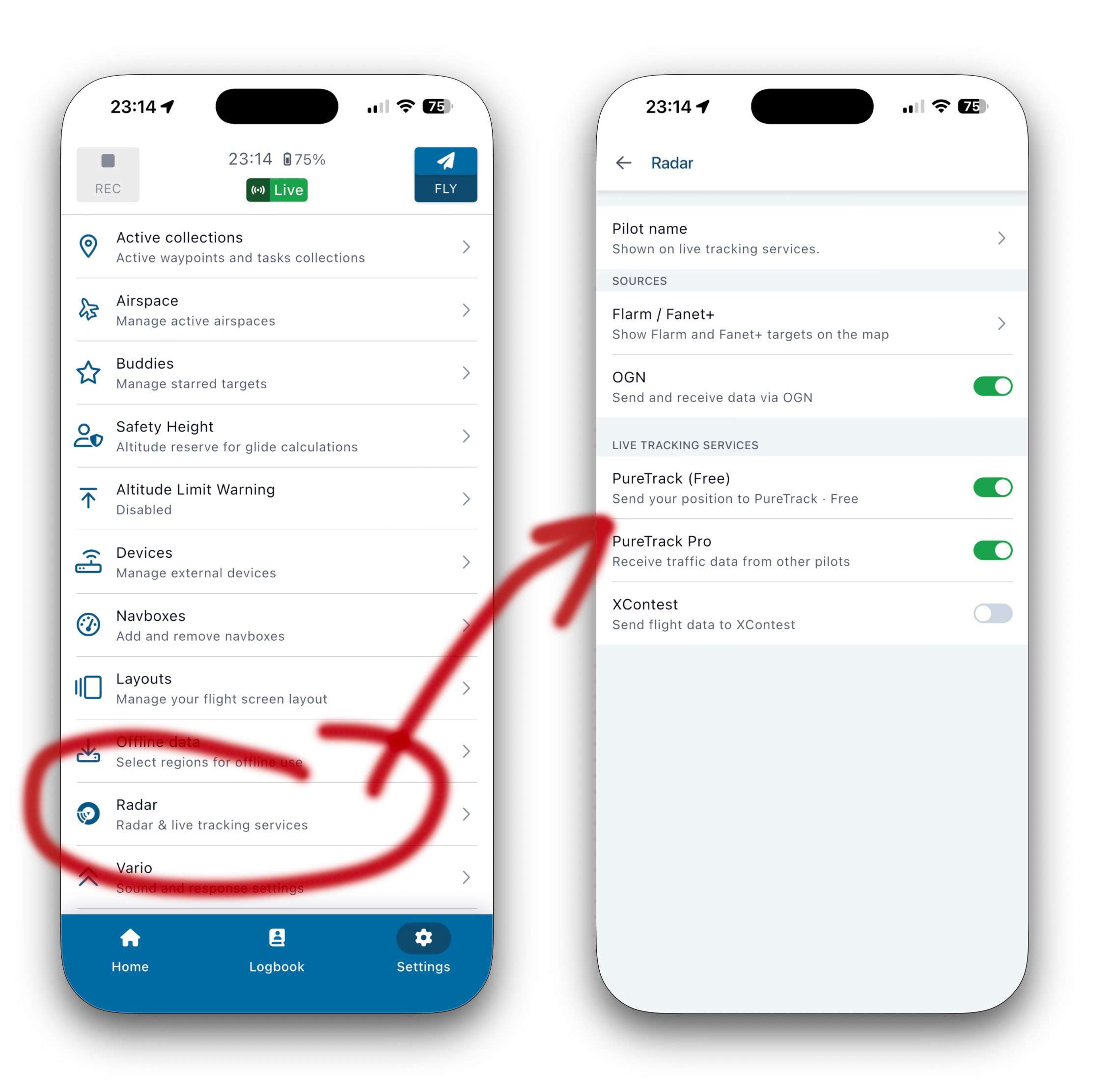
Enable PureTrack under the new Radar settings menu.
Settings -> Radar -> PureTrack
Enable sending to PureTrack with the "PureTrack (Free)" option.
To use the PureTrack Pro layer, it will ask for your PureTrack username/password account. You will need an active PureTrack Pro subscription. Indicated by a green tick once logged in. If you see an orange warning, check your subscription on the subscription page.
Change/check your PureTrack login details under Settings -> Account -> Integrations -> PureTrack (scroll to bottom).
Link Navigator to your PureTrack Map Marker
PureTrack uses the OGN ID from Navigator to identify you.
For gliders & registered aircraft:
The OGN ID can be configured for each aircraft you fly on Navigator. Make sure your ICAO ADSB ID, FLARM and Navigator all use the same ID.
Make sure your OGN ID for each aircraft is configured in the OGN database.
For paraglider/hang glider pilots:
Find the OGN ID number Navigator is broadcasting as under Settings -> About
Add the OGN ID number to your PureTrack Map marker on the Add OGN page. Choose "Custom map marker".
SeeYou Navigator software is available for iOS and Android, and also powers the Oudie N and Omni devices.